 Vladyslav Tumanov
Why Do We Need IP Addresses for Internet Communication?
The internet's everywhere now, but to most people, the technical side is a mystery. Every time you open a website or send a message, an IP is working behind the scenes. It's basically a digital home address that ensures the right data gets to the right device. And here many may ask: "What is an IP address?" An IP is a unique ID for your device. It can be compared to a home IP — it's a sort of guide for data, ensuring it moves in the right direction.
What is an IP address? This is an important question, and knowing the answer can help you understand how data gets to your PC, not other devices. Therefore, the answer to the question "What is IP?" can be summed up as follows: it is the basis of modern addressing. An organized internet would be impossible without it. The internet only works because every device has a clear "address" so data knows where to go. Otherwise, information would only be lost, not reach you. Network protocols standardize this process.
How an IP Address Works and Where It Is Located
The mechanics of an IP are similar to those of a traditional mail service, but with the added benefit of incredibly high transfer speeds. When you go online, your provider just picks a unique location for you from their big list to get you connected.
This address is active as long as the user is online and is used by routers all over the world to route your data. It is important to understand that an IP is associated with the point of attachment to the network, not hardwired into the device. This gives you some wiggle room in managing connections.
An IP works at the network layer of the OSI model, so it works the same no matter how you connect to the internet — fiber, satellite, or mobile data. There are two main ways these locations are assigned, and each one is used for different purposes in modern IT systems.
| Static IP | Dynamic IP | |
|---|---|---|
| Consistency | Remains unchanged forever | Updated with each session |
| Cost | Requires additional payment | Provided free by your ISP |
| Setup | Configured by the system administrator | Assigned automatically by the server |
| Reliability | Ideal for remote access | Depends on DHCP stability |
| Security | More vulnerable to targeted attacks | Increases your anonymity |
| Application | Web hosting and email services | Home Internet and smartphones |
Most of us get by just fine with a dynamic IP — it's temporary and helps providers save space. But if you need a device to stay reachable 24/7 (like a server), you'll want a static IP. Large companies usually pick between the two based on their specific security or software needs.
Think of it like mail: for your data to move, every router along the way quickly checks the "address" on the packet and sends it to the next stop. This happens in milliseconds. If the setup is solid, your connection stays fast and lag-free. For high-level tasks, people often use private proxies to get the best of both worlds.
Public IPs
A public IP is basically your digital home location. Your ISP gives it to you, so the rest of the internet knows exactly where to send the data you're looking for. Whether you're visiting a website or streaming a video, that address is how servers identify your connection and get the right info back to your screen. A public IP lets data from the internet find your router or modem and send information back to you.
The process of working with public locations is strictly regulated internationally. There is a limited number of IPv4 addresses. This has led to their high commercial value and the need for strict accounting.
Characteristics
One of the fundamental characteristics of a public IP is its global uniqueness. No two devices in the world can use the same public IP simultaneously. Special organizations like RIPE NCC and ARIN manage and allocate these locations to ensure everything remains unique.
Traffic monitoring and analysis systems can easily detect and track public addresses. Any web resource visited by a user records the public endpoint in its logs for analytics or security purposes. For those who want to avoid such tracking, various proxy products exist. These mask the real ISP.
Main Use Cases
The modern internet uses public locations wherever devices and services need direct external access. This is critical for website hosting, gaming servers, video surveillance systems, and any corporate services that employees access remotely. To optimize performance with such addresses, professionals often use location proxies to test the availability of their resources from different countries. Public IP in business is often associated with the need to solve the following problems:
- hosting critical web resources;
- organizing stable mail gateways;
- creating reliable VPN communication channels;
- managing remote desktops;
- publishing databases online;
- running your own media streaming servers;
- authentication via a trusted endpoint.
Each scenario requires careful configuration of network equipment and an understanding of the traffic architecture. A public location serves as the entry point for the outside world to interact with your infrastructure. To enhance privacy when performing such tasks, users often resort to free online proxies.
Vulnerabilities
The biggest weakness of a public IP is its primary function: exposure to the world. The address is visible to everyone and, therefore a great target for automated scanning systems and hacker attacks. Hackers often scan public IPs looking for weak spots or open ports. A common attack is DDoS. They send a lot of traffic to a server, which overloads it. This shuts the server down. Proxies reduce risk by masking the real IP. Proxies are an intermediate layer between users and the server.
Brute-force attacks against remote access services are also common targets. A public IP without modern security measures like firewalls and intrusion detection systems is an open door to unwanted guests.
Private IPs
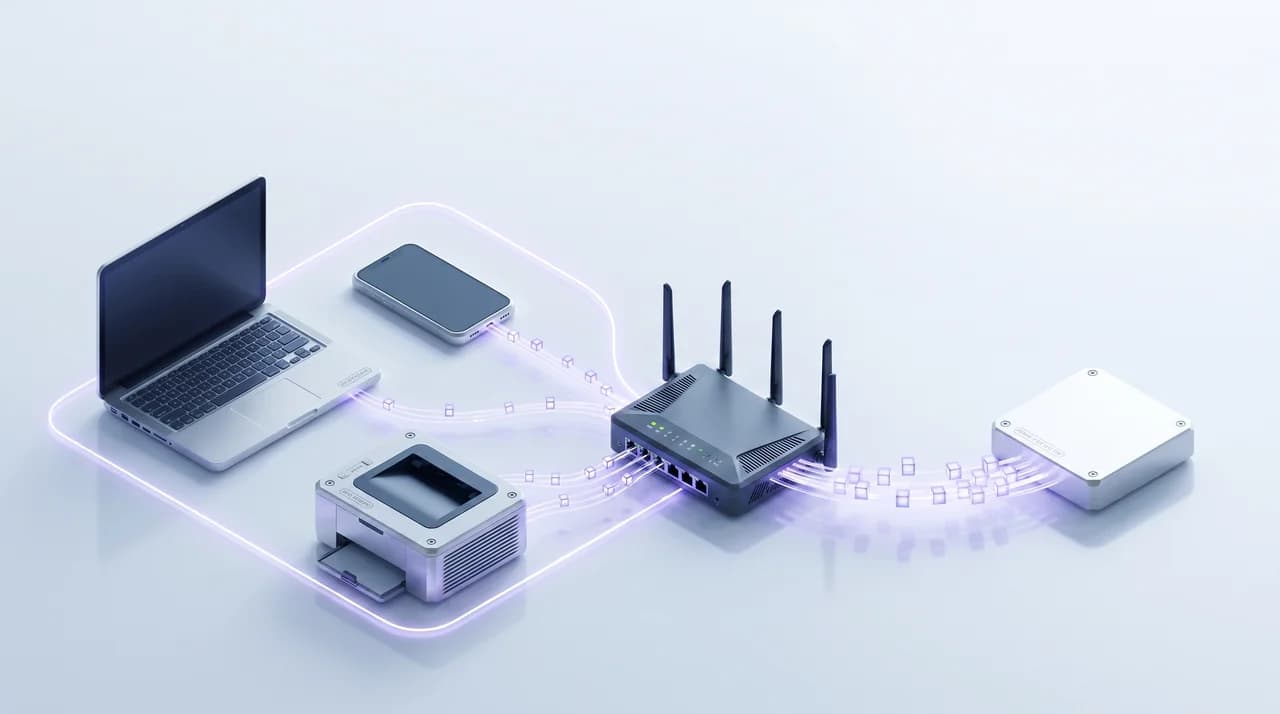
A private IP is a tool for organizing the internal space of your local network. Private IPs are used only within a home, office, or company network. The internet can't see them, and outside devices can’t connect to them directly.
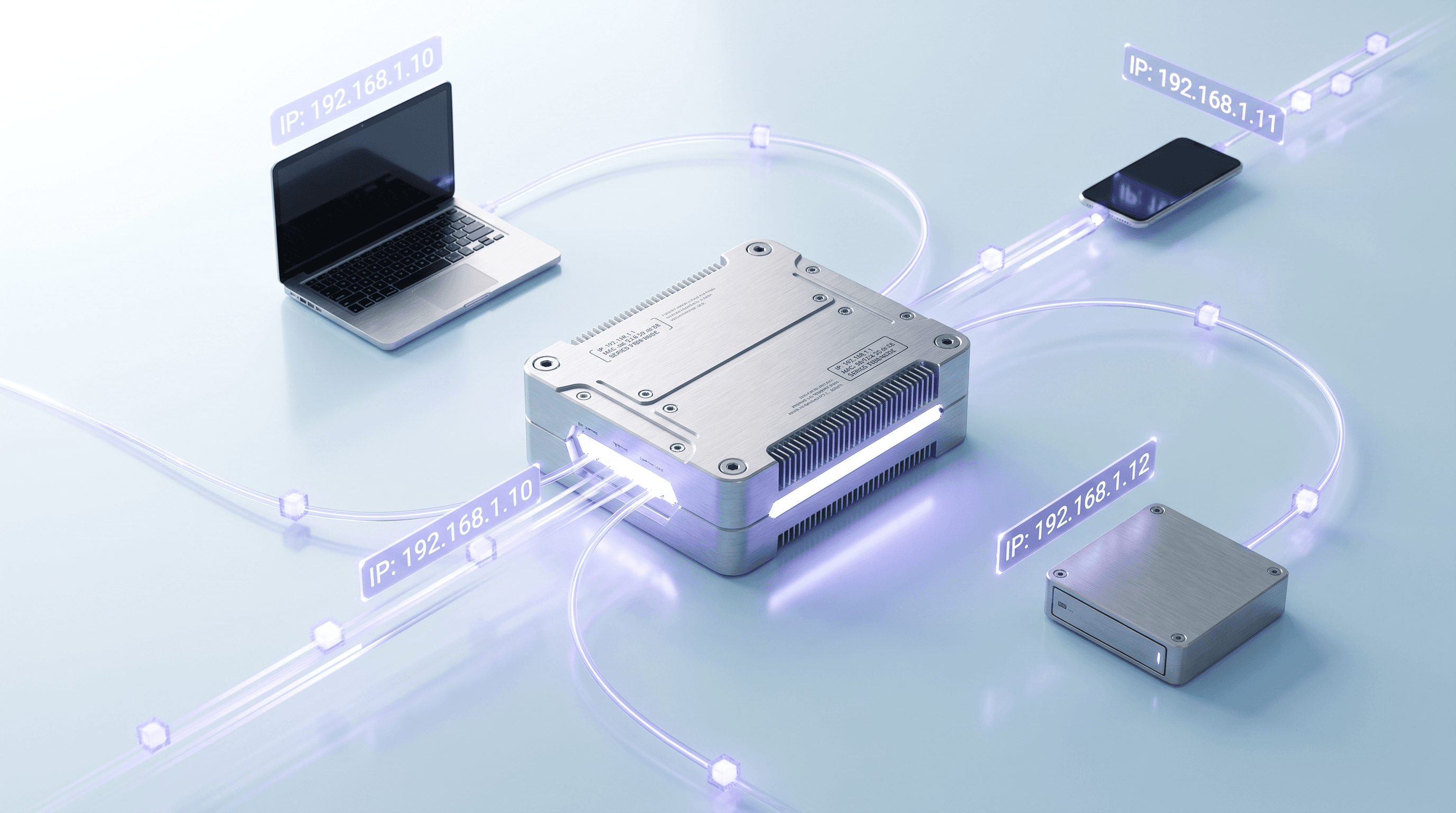
With internal addressing, a single internet connection can connect to hundreds or thousands of devices simultaneously. It does this using network endpoint translation (NAT) on your router.
The router has one public IP from your provider and gives private IPs to all your devices (phones, laptops, TVs). In this context, a proxy IP helps segment traffic and control access inside the organization.
Characteristics
A private IP is used only inside a local network and is not routed directly across the public internet. Your laptop, phone, smart TV, printer, or office server can have private addresses, while the router connects them to the internet through one public IP and NAT.
Private addresses do not need to be globally unique. The same address, such as 192.168.1.10, can exist in millions of homes and offices at the same time because each local network is isolated from the others.
According to Potaroo monitoring data, the global routing table contains over a million entries. This shows how complex public internet routing has become and why private IP ranges remain important for local networks. Instead of giving every device a separate public endpoint, organizations can use internal addresses and connect them to the internet through controlled gateways.
Main Use Cases
Private addresses are indispensable for building a modern home or office ecosystem. They enable interaction between devices: printing documents on a network printer, transferring files between computers, or controlling smart lighting. Without private IPs, maintaining even a small home network would be astronomical. In a corporate environment, using private addresses helps solve the following problems:
- isolating internal company servers;
- organizing local telephone communications;
- connecting CCTV cameras;
- creating closed file storage;
- assigning employee access rights;
- configuring internal web portals;
- managing the office network periphery.
This structure creates a secure "perimeter" within which data circulates freely but cannot leave without control. If an employee needs internet access while keeping the company's anonymity, they use an IP proxy. It substitutes internal data for external data.
Vulnerabilities
The main vulnerability of private networks lies in a false sense of security. Just because your IP isn't visible from the outside doesn't mean you're fully safe. If one device on a local network gets malware, it can spread to others. And sometimes home or office networks are actually less protected than the internet, with weak passwords or fewer security settings.
Another problem is the possibility of data leaking through a misconfigured proxy address. Attackers can exploit a private network using ARP table poisoning techniques or by intercepting DNS requests. If a router has a critical vulnerability, it can bypass all protections for private addresses, allowing a hacker to take full control of the gateway. Therefore, regularly updating network equipment firmware is a security imperative.
Private IP Ranges
International standards reserve special numerical ranges for organizing private networks. These ranges never overlap with the public location space. Such separation allows for the creation of an infinite number of local systems without fear of global addressing conflicts.
APNIC Labs conducted a study that showed that, despite active IPv6 deployment, over 50% of global traffic in some regions still relies heavily on IPv4 infrastructure and private endpoint translation mechanisms. This makes proper planning of local ranges critical to the stability of any business.
When setting up internal networks, specialists typically adhere to the following standard blocks:
- large-scale range of 10.0.0.0 for large corporations;
- medium-sized block of 172.16.0.0 for office needs;
- classic home segment of 192.168.0.0;
- service addresses for diagnosing internal nodes;
- blocks for automatic configuration of network adapters;
- loopback locations for software testing;
- reserved ranges for future protocols.
The choice of a specific range directly impacts the future scalability of your system. If, during the merge of several company branches, duplicate addresses begin to appear, it will disrupt network services. In such situations, system administrators often use site proxies to route requests between conflicting segments.
How to Find Your IP Address
As users explore the digital world, they often need to know their exact network coordinates. This may be necessary to set up a game server, set up remote access, or test the effectiveness of anonymization tools. People often use online web proxies to check their current location and quickly confirm that the spoofing works. Knowing your address is the first step to understanding how your computer interacts with the rest of the world.
It's important to distinguish between finding your internal (private) and external (public). The internal address is visible only within your home or office network, while the external endpoint is how your internet service provider and any website see you. To get a complete picture of your network connection, it's important to know how to determine both types of identifiers in the most popular operating systems.
Windows Users
For users of the world's most popular operating system, finding an IP is extremely simple and can be accomplished in several ways. The fastest and most professional method for Windows is to use the command-line interface. This method provides comprehensive information about the IP and subnet mask.
If you prefer a graphical interface, the procedure is also quick:
- Open Windows system settings.
- Go to the Network category.
- Select an active internet connection.
- Click the connection properties button.
- Scroll to the address.
- Copy the required numerical values.
- Close the system settings window.
This method is convenient for those who don't want to memorize text commands. However, the command line provides a deeper understanding of the network structure. For professional work, such as checking the operation of a proxy server website, system administrators always choose the console interface, as it minimizes the time required to obtain diagnostic data.
Mac Users
Owners of Apple devices also have convenient tools for monitoring network settings. In macOS, all information is structured and located in one place, eliminating confusion between different adapters. Whether it's Wi-Fi or Ethernet, the system clearly distinguishes between them, displaying the connection status and assigned address in real time.
To quickly find your IP on a Mac, follow these steps:
- Click the Apple icon.
- Open System Preferences.
- Select the Network icon.
- Find the active green connection.
- Look at the details under the status.
- Click the button for details.
- Note your address number.
It's worth noting that these steps will display the device's local. To find their public, Mac users most often use specialized web services. This matters most when they choose different proxy types and need to quickly confirm that the connection is routed through the correct proxy.
How to Hide Your IP and Why to Do So?
Hiding your real IP is no longer the preserve of hackers or techies. In the age of pervasive data collection and aggressive marketing, it has become a vital necessity for anyone who values their privacy.
Your endpoint is the key to your identity. It allows you to correlate your activity on different websites, determine your home address, and even your income level based on your ISP data. This is why high-quality proxy products have become an essential part of modern users' security suites.
The main reason for hiding your address is to protect yourself from cybercriminals who can use your IP to conduct targeted attacks. Furthermore, many resources restrict access to content based on geographic location.
Free online proxy services allow you to bypass such filters, although for high speed and stability, it's better to choose proven paid solutions. Changing your IP is your digital camouflage in the internet jungle. Many proven techniques allow you to mask your online presence and effectively secure your transmitted data. The choice of a specific tool depends on your goals: from simply viewing blocked videos to ensuring complete corporate anonymity.
The most popular methods for changing your online identity include the following:
- purchasing VPN access;
- using the anonymous Tor browser;
- setting up a fast site proxy;
- changing your address through a router;
- using mobile proxy servers;
- renting a dedicated IP proxy;
- using secure network extensions.
Each option works a bit differently. A location proxy can help you access content blocked in your region, while a VPN encrypts only your internet traffic. Knowing how they work helps you choose the right mix of privacy, speed, and convenience.
Conclusion
An IP is the address of your device on the internet. It keeps the internet working properly. Public and private IPs are different, and knowing that helps you stay safer online.
As the IoT develops, every iron and light bulb will have its own identifier. IPs will only become more important in the future. Using tools like private proxy servers from ProxyShard will become standard even for home networks. Remember, your security starts with awareness. Keep an eye on your network settings, utilize trusted proxies, and ensure you’re always in control of your digital data.
FAQ
What classes are IP addresses divided into?
There are five main classes of IPs: A, B, C, D, and E. The first three classes are general networks of different sizes. Class D is used for multicast traffic, and Class E is reserved for research.
Is the IP address based on the Wi-Fi or the device?
The public endpoint is linked to the router and/or the ISP access point, not the smartphone. But every particular device on the network has a unique local IP.
Why are IP addresses important?
Without the IP addressing system, the internet would cease to function as a unified data exchange space. They allow servers to deliver information to users who request it accurately.
How to make my IP address private?
You can't truly make a public endpoint private, but you can reliably hide it from outside observers. For this purpose, it is best to use a professional IP address proxy, which will replace your data with its own.